Platform
Software that puts your returns under control
Our proprietary software lets you and your team initiate returns at any time, follow every one of them and see every payment. And we keep building tools to make the process even better.
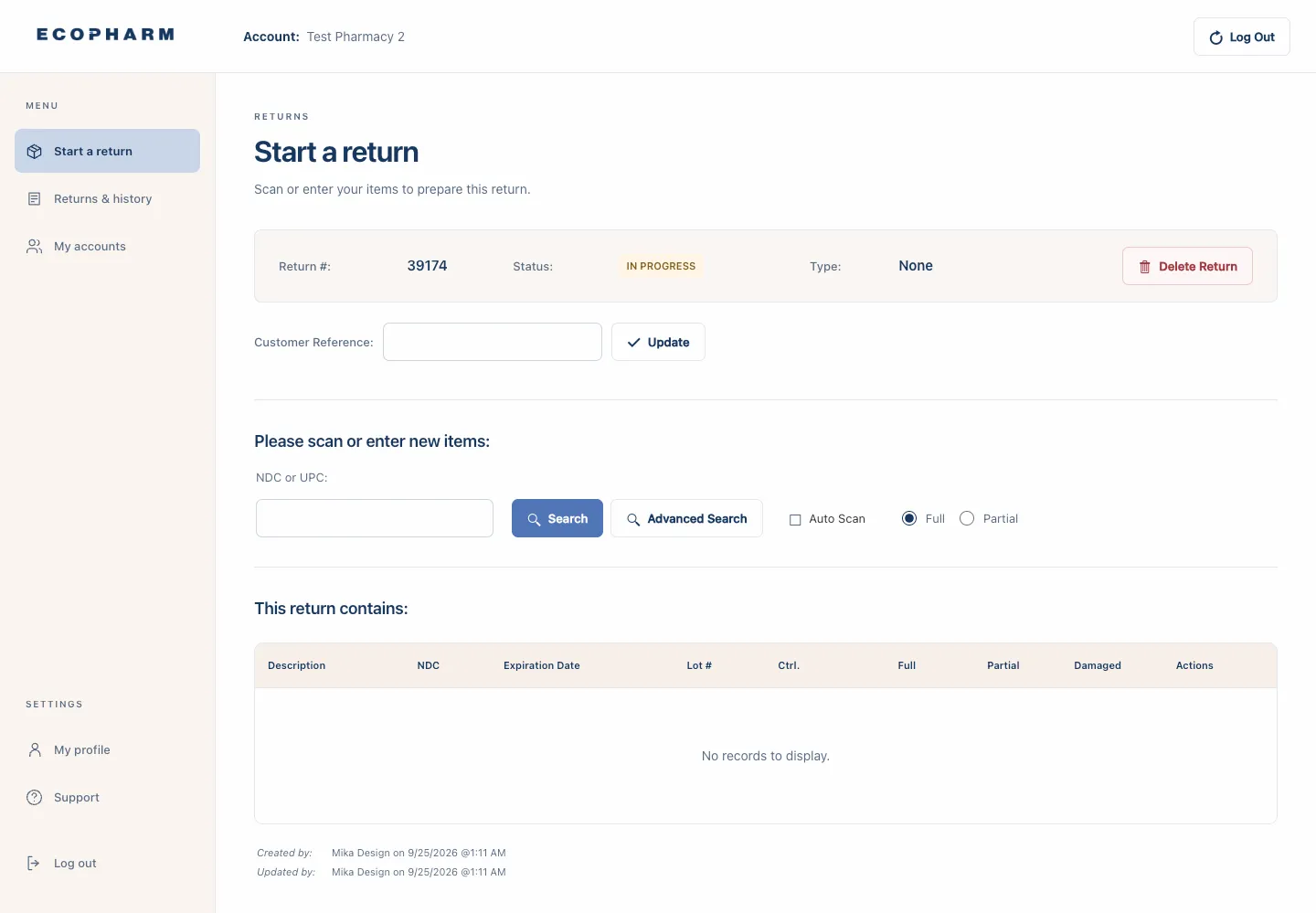
01 · Start a return
Build a return the moment Rx's expire
Your staff can initiate returns at any time. Scan or enter each item and the return takes shape as you go.
- Scan or enter NDC and UPC codes, with auto scan for speed
- Mark full or partial quantities for every item
- Controlled items flagged in their own column
- Add a customer reference to match your own records
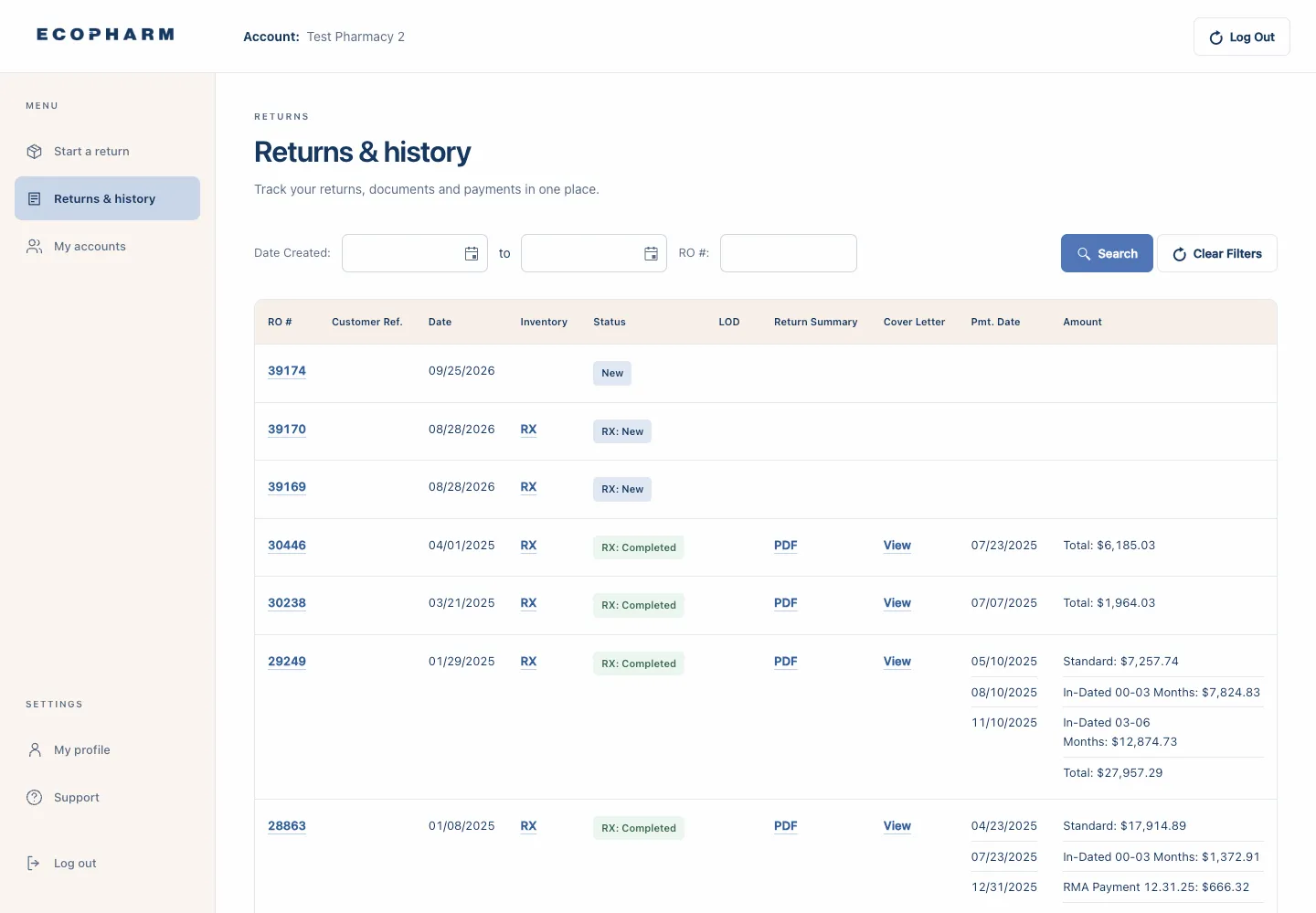
02 · Returns & history
Track returns, documents and payments in one place
Real‑time updates on every return. Statements for all past and current return statuses and refunds, ready when finance asks.
- Status for every return, from new to completed
- Return summary PDFs and cover letters
- Payment dates and amounts, broken down by payment
- Filter by date range or return number
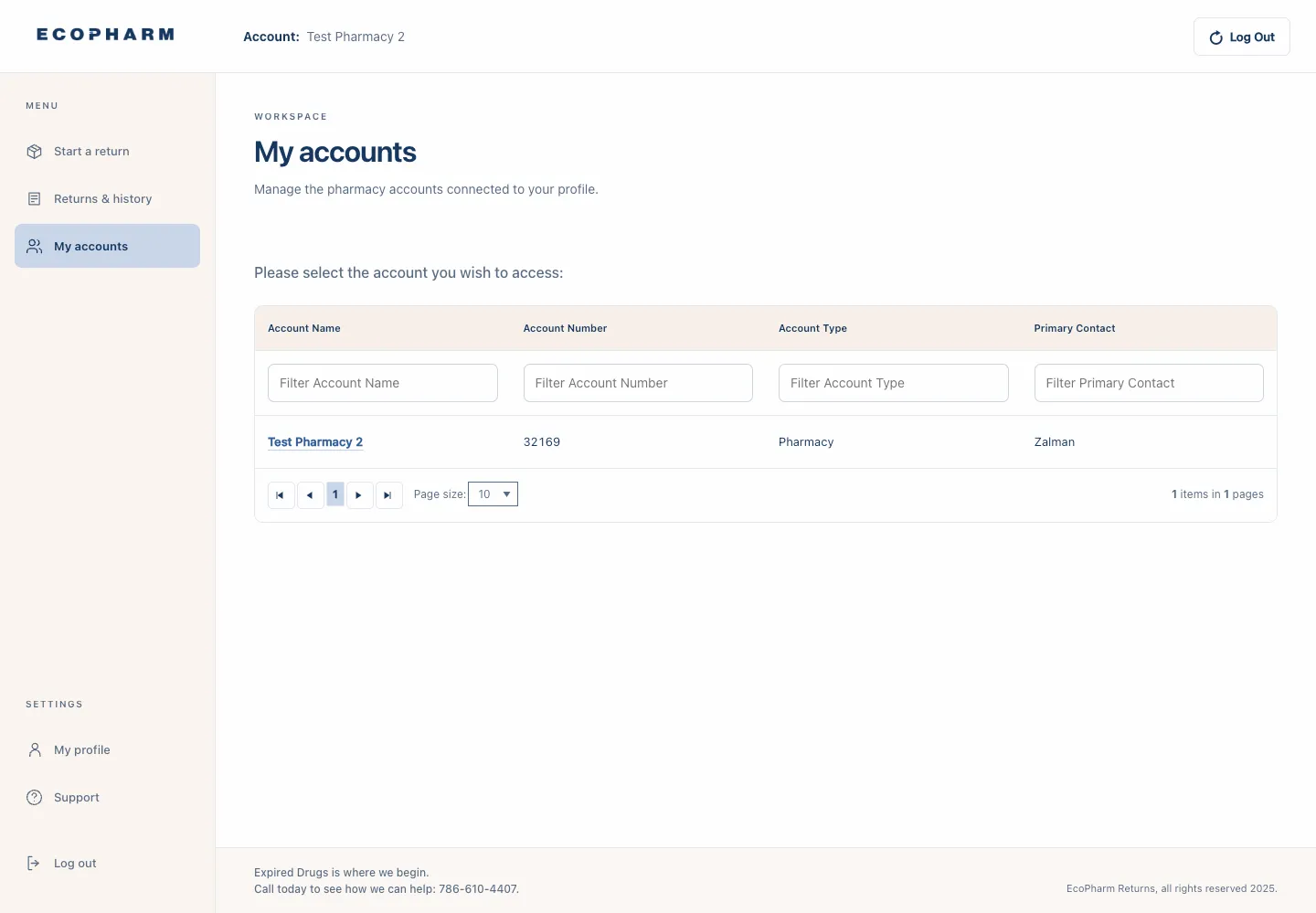
03 · My accounts
Every pharmacy account, one login
Manage the pharmacy accounts connected to your profile, whether you run one location or oversee many.
- Switch between the accounts connected to your profile
- Filter by account name, number, type or primary contact
- Built for multi‑location operators
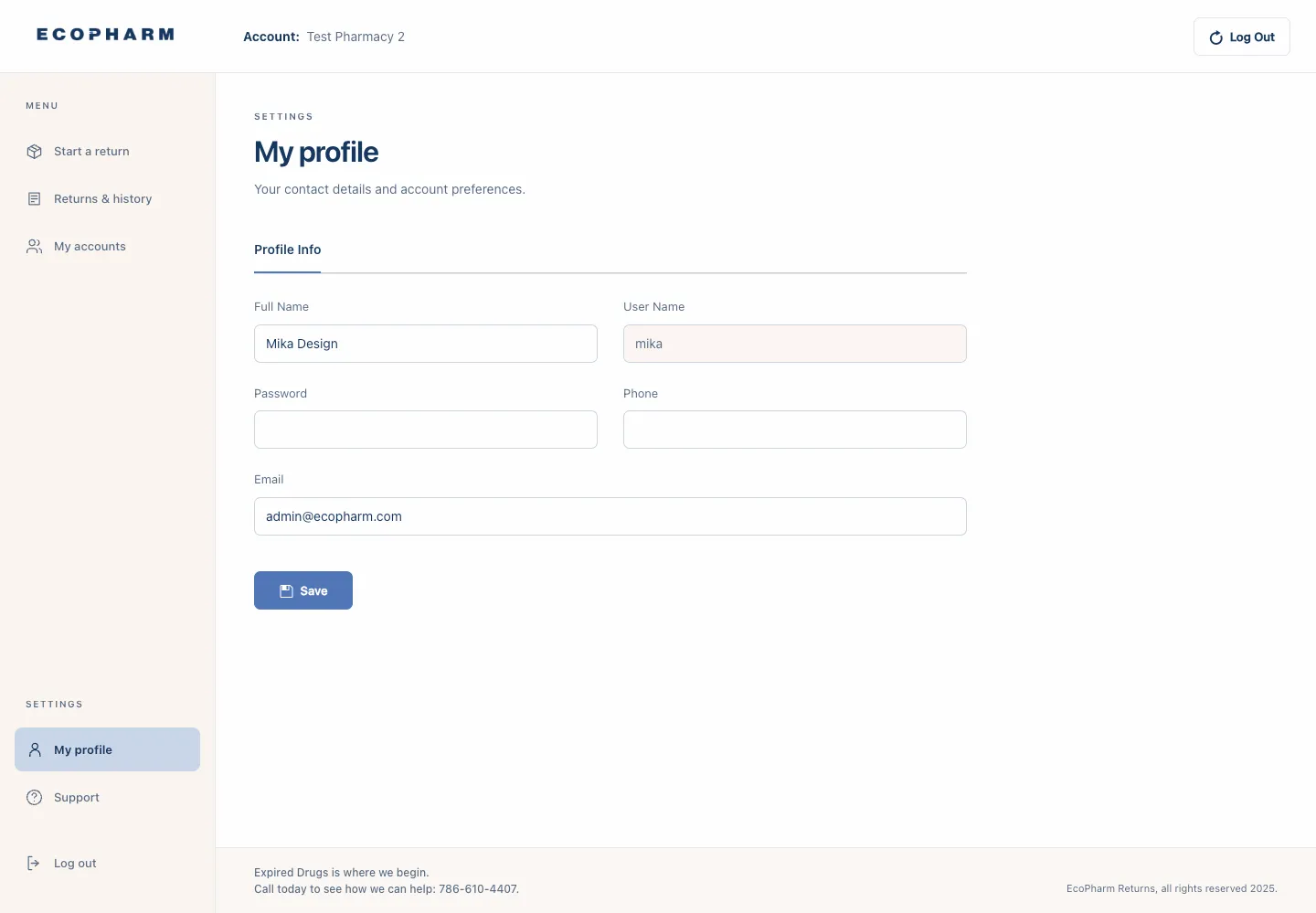
04 · My profile & support
Your details, and a line to our team
Keep your contact details and account preferences up to date, and reach our support team straight from the portal.
- Contact details and preferences
- Support one click away
- The same clean interface on every screen
Return tracking
Every item, every stage
You stay informed and in control of your return, from the moment it is created to the day it's paid.
Stage 01
Created
Items scanned or entered, controlled items separated.
Stage 02
Shipped
Labels printed, then a pickup or a FedEx drop‑off.
Stage 03
Received
Inventory received and verified against your return.
Stage 04
Submitted
Items evaluated and submitted to manufacturers.
Stage 05
Credited or destroyed
Credit pursued, non‑creditable items destroyed.
Stage 06
Paid
One check for the return, within 90 days.
Reporting & data
Transparency and informed reporting
We use historical pricing data and leverage First Databank to maximize your return funds, and we keep compiling that data to stay the most effective in the industry.
Accurate pricing
Historical pricing data and First Databank behind every valuation.
Controlled items apart
Controlled substances prompted as a separate inventory.
Return summaries
A PDF summary and a cover letter for each return.
Payment breakdowns
Standard and in‑dated payments shown line by line.
Payment dates
Every payment date recorded against its return.
Scan‑to‑sort
Tools that direct your team to the right waste bin.

Demo
See the portal with your own returns in mind
We'll walk your team through starting a return, tracking it and reading the statements, then answer every question you have.